

WP | get_the_post_thumbnail()
정라잇 |
요약
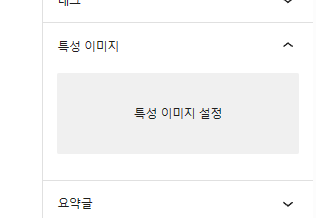
특성 이미지 > 특성 이미지 설정 에서 한 이미지를 가져옵니다
사용법
get_the_post_thumbnail(); // 이미지 태그까지 완성
get_the_post_thumbnail_url(); // URL 만 제공
위의 코드를 통해 블로그 글 썸네일을 가져올 수 있습니다.
저는 자체적으로 만드는 경우가 많아 get_the_post_thumbnail_url(); 을 많이 사용중입니다.
if ( have_posts() ) {
    while ( have_posts() ) {
        the_post();

        /* grab the url for the full size featured image */
        $featured_img_url = get_the_post_thumbnail_url(get_the_ID(),'full');

        /* link thumbnail to full size image for use with lightbox*/
        echo '<a href="'.esc_url($featured_img_url).'" rel="lightbox">';
            the_post_thumbnail('thumbnail');
        echo '</a>';
    endwhile;
endif;
일반적인 게시물은 위의 방법으로 가져올 수 있습니다
qurey 문을 통해 내가 가져오고 싶은 부분만 추출
<?php
$theme_url = get_template_directory_uri();

$paged = (get_query_var('paged')) ? get_query_var('paged') : 1;
$query = new WP_Query(array(
    'post_type' => 'post',
    'posts_per_page' => 16,
    'paged' => $paged
));
?>
<div class="pagination nav-links">
    <?php
    echo paginate_links(array(
        'base'         => str_replace(999999999, '%#%', esc_url(get_pagenum_link(999999999))),
        'total'        => $query->max_num_pages,
        'current'      => max(1, get_query_var('paged')),
        'format'       => '?paged=%#%',
        'show_all'     => false,
        'type'         => 'plain',
        'end_size'     => 3,
        'mid_size'     => 3,
        'prev_next'    => true,
        'prev_text'    => '<i class="fas fa-chevron-left" id="page_left" aria-hidden="true"></i>',
        'next_text'    => '<i class="fas fa-chevron-right" id="page_right" aria-hidden="true"></i>',
        'add_args'     => false,
        'add_fragment' => '',
    ));
    ?>
</div>


<?php if ($query->have_posts()) : ?>
    <?php while ($query->have_posts()) : $query->the_post(); ?>
        <!-- gallery-item-->
        <div class="gallery-item">
            <div class="grid-item-holder hov_zoom">
                <img  src="<?php the_post_thumbnail_url(); ?>"    alt="">
                <a href="<?php echo $theme_url ?>/images/folio/1.jpg" class="box-media-zoom   popup-image"><i class="fal fa-search"></i></a>
                <div class="thumb-info">
                    <h3><a href="<?php the_permalink(); ?>"><?php echo get_the_title(); ?></a></h3>
                </div>
            </div>
        </div>
        <!-- gallery-item end-->
    <?php endwhile; ?>
    <?php wp_reset_postdata(); ?>
<?php else : ?>
    <p><?php _e('리스트가 존재하지 않습니다'); ?></p>
<?php endif; ?>