

프로그램 | RCLONE 사용법 (클라우드 자료 업로드, 다운로드)
정라잇 |
요약
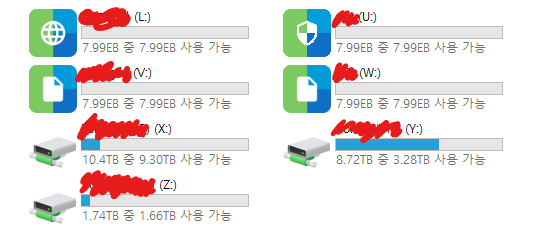
RCLONE은 클라우드 스토리지에 특화된 업로드/다운로드 프로그램입니다. Go 언어로 만들어져 있습니다.
비슷한 역할의 프로그램은 NetDrive, Raidrive 가 있습니다. 저는 서버에서 코딩 작업할 때 편하게 Raidrive 를 활용중입니다.
장단점
무료로 사용할 수 있고, 다양한 운영체제 적용가능, 업데이트도 꾸준히 됩니다.
그러나 편의성과 난이도는 레이드라이브(Raidrive)가 더욱 쉽습니다. 레이드라이브는 이미 기능이 정해져 있기 때문에 RCLONE 와 같은 프로그램에 비해 자동화 작업에 비해 불리하겠죠.
설치법
RCLONE 설치
RCLONE : 다운로드
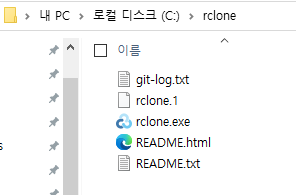
c:\rclone 의 이름으로 폴더를 생성한 다음 운영체제에 맞게 다운/압축을 진행합니다.
RCLONE BROWSER 설치
RCLONE-BROWSER : 다운로드
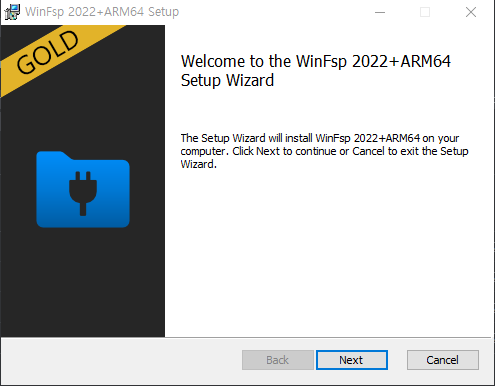
WinFSP 설치
WinFSP : 다운로드
링크에 들어가 Assets에 있는 자료를 다운받아 설치를 진행합니다.
설치가 완료되면 명령 프롬프트(파워셀 X)에서 커맨드 명령어를 통해 활용할 수 있게 됩니다.
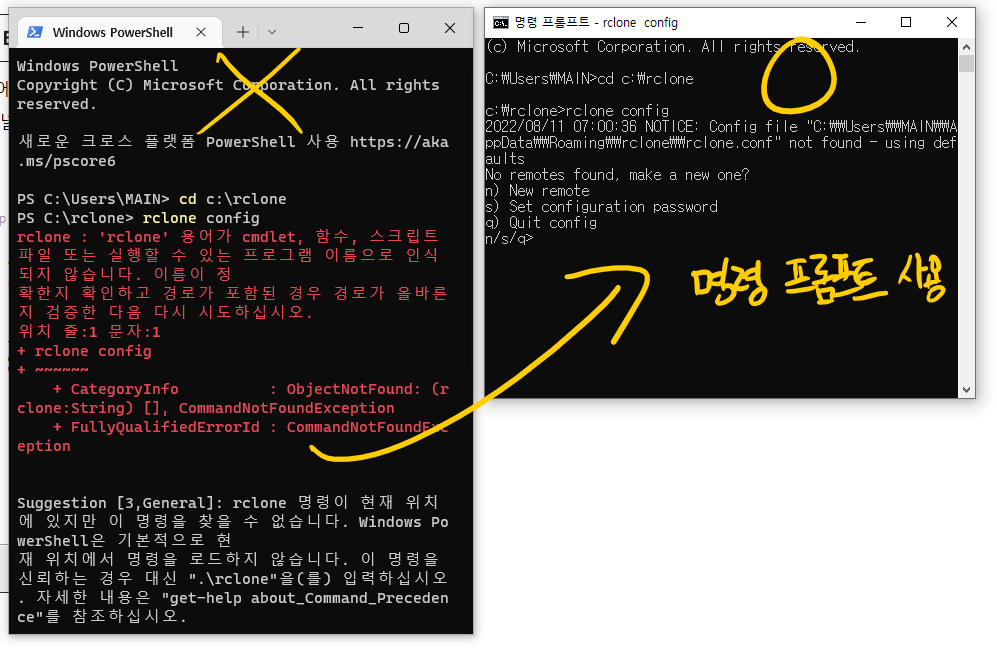
cd c:\rclonerclone config작업할 때는 관리자권한이 아닌 일반 명령프롬프트로 작업해야 합니다. 커맨드를 입력하면 위와 같이 뜨게 됩니다. 커맨드에서 나오려면 컨트롤 + C 를 누르면 됩니다
rclone remote 설정
FTP를 예로 설명하겠습니다.
- 사이트 :
example.com - 포트 :
21 - FTP 아이디 :
ubuntu - FTP 비밀번호 :
ubuntu
rclone config- 위의 명령어를 입력합니다.
n) New remote를 선택합니다. n 키를 입력 후 엔터를 누릅니다.- name> 에 이름을 입력합니다.
rading-ftp를 입력합니다. - Storage를 선택합니다. 16이 FTP입니다.
- host> 에 주소를 입력합니다. (ftp:// 생략)
- user> 에 FTP 아이디를 입력합니다
- port> 에 기본 포트인 21을 입력합니다
- FTP password 에서
y를 입력합니다 - SFTP 설정하는 경우 ture를 입력합니다
일반 ftp의 경우는 모든 질문에 엔터를 누릅니다.
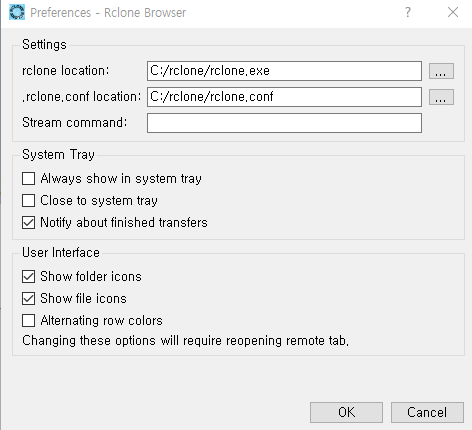
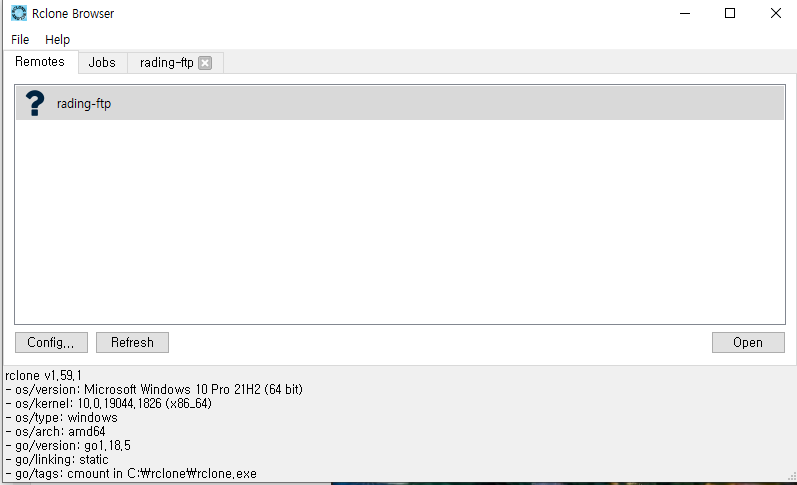
리눅스 자료 백업
리눅스에서 기본으로 제공하는 crontab 과 wget(추가설치필요) 를 활용하면 자료를 업로드, 다운로드를 실행할 수 있게 됩니다.
연결 번호
 1 / 1Fichier
   \ (fichier)
 2 / Akamai NetStorage
   \ (netstorage)
 3 / Alias for an existing remote
   \ (alias)
 4 / Amazon Drive
   \ (amazon cloud drive)
 5 / Amazon S3 Compliant Storage Providers including AWS, Alibaba, Ceph, China Mobile, Cloudflare, ArvanCloud, Digital Ocean, Dreamhost, Huawei OBS, IBM COS, IDrive e2, Lyve Cloud, Minio, Netease, RackCorp, Scaleway, SeaweedFS, StackPath, Storj, Tencent COS and Wasabi
   \ (s3)
 6 / Backblaze B2
   \ (b2)
 7 / Better checksums for other remotes
   \ (hasher)
 8 / Box
   \ (box)
 9 / Cache a remote
   \ (cache)
10 / Citrix Sharefile
   \ (sharefile)
11 / Combine several remotes into one
   \ (combine)
12 / Compress a remote
   \ (compress)
13 / Dropbox
   \ (dropbox)
14 / Encrypt/Decrypt a remote
   \ (crypt)
15 / Enterprise File Fabric
   \ (filefabric)
16 / FTP
   \ (ftp)
17 / Google Cloud Storage (this is not Google Drive)
   \ (google cloud storage)
18 / Google Drive
   \ (drive)
19 / Google Photos
   \ (google photos)
20 / HTTP
   \ (http)
21 / Hadoop distributed file system
   \ (hdfs)
22 / HiDrive
   \ (hidrive)
23 / Hubic
   \ (hubic)
24 / In memory object storage system.
   \ (memory)
25 / Internet Archive
   \ (internetarchive)
26 / Jottacloud
   \ (jottacloud)
27 / Koofr, Digi Storage and other Koofr-compatible storage providers
   \ (koofr)
28 / Local Disk
   \ (local)
29 / Mail.ru Cloud
   \ (mailru)
30 / Mega
   \ (mega)
31 / Microsoft Azure Blob Storage
   \ (azureblob)
32 / Microsoft OneDrive
   \ (onedrive)
33 / OpenDrive
   \ (opendrive)
34 / OpenStack Swift (Rackspace Cloud Files, Memset Memstore, OVH)
   \ (swift)
35 / Pcloud
   \ (pcloud)
36 / Put.io
   \ (putio)
37 / QingCloud Object Storage
   \ (qingstor)
38 / SSH/SFTP
   \ (sftp)
39 / Sia Decentralized Cloud
   \ (sia)
40 / Storj Decentralized Cloud Storage
   \ (storj)
41 / Sugarsync
   \ (sugarsync)
42 / Transparently chunk/split large files
   \ (chunker)
43 / Union merges the contents of several upstream fs
   \ (union)
44 / Uptobox
   \ (uptobox)
45 / WebDAV
   \ (webdav)
46 / Yandex Disk
   \ (yandex)
47 / Zoho
   \ (zoho)
48 / premiumize.me
   \ (premiumizeme)
49 / seafile
   \ (seafile)