

Git | SSH 키 등록방법, The authenticity of host 에러
정라잇 |
오류 내용
$ git push
fatal: The current branch main has no upstream branch.
To push the current branch and set the remote as upstream, use

    git push --set-upstream origin main

To have this happen automatically for branches without a tracking
upstream, see 'push.autoSetupRemote' in 'git help config'.
업로드 하려고 보니 origin main 에러가 뜨게 됩니다.
이를 고치기 위해 검색해보니 git push --set-upstream origin main 를 입력하라고 합니다.
$ git push --set-upstream origin main
error: src refspec master does not match any
error: failed to push some refs to 'github.com:rit245/auction_estate.git'
입력해도 에러가 뜹니다.

$ git push --set-upstream origin main
The authenticity of host 'github.com (20.200.000.000)' can't be established.
ED25519 key fingerprint is SHA256:+DiY3wvvV6TuJJhbpZisF/zLDA0zPMSvHdkr4UvCOqU.
This key is not known by any other names.
Are you sure you want to continue connecting (yes/no/[fingerprint])? fingerprint
Please type 'yes', 'no' or the fingerprint: yes
Warning: Permanently added 'github.com' (ED25519) to the list of known hosts.
[email protected]: Permission denied (publickey).
fatal: Could not read from remote repository.

Please make sure you have the correct access rights
and the repository exists.
결론은 키를 다시 등록해야 한다는 겁니다.
여기서 해결을 위해 키를 생성하여 깃허브 내 계정에 등록합니다.
해결법
ssh-keygen터미널에서 해당 코드를 입력합니다.
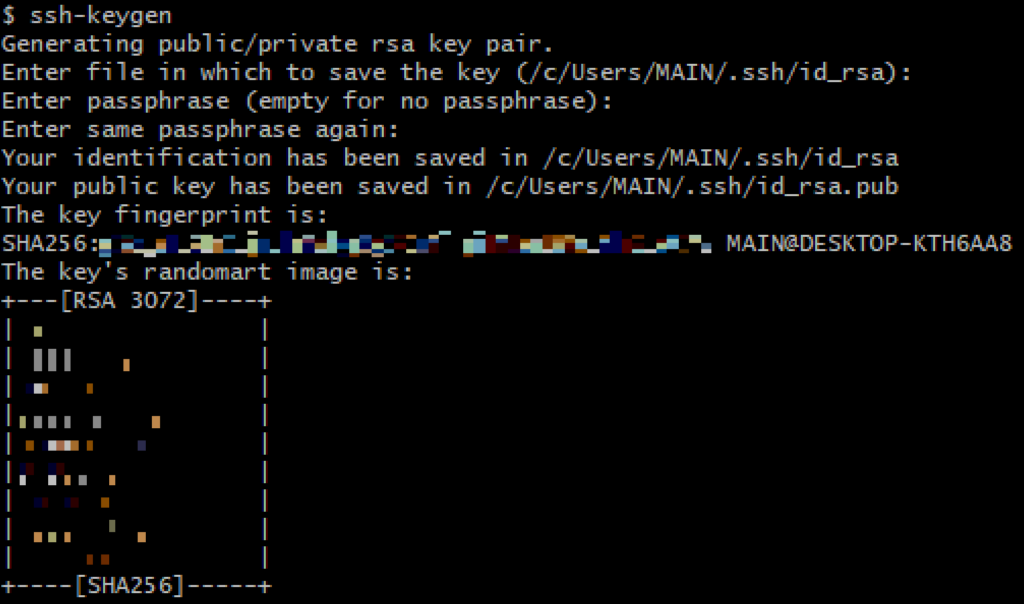
The authenticity of host 'github.com (999.999.999.99)' can't be established.
우측 상단의 Your profile 을 클릭합니다
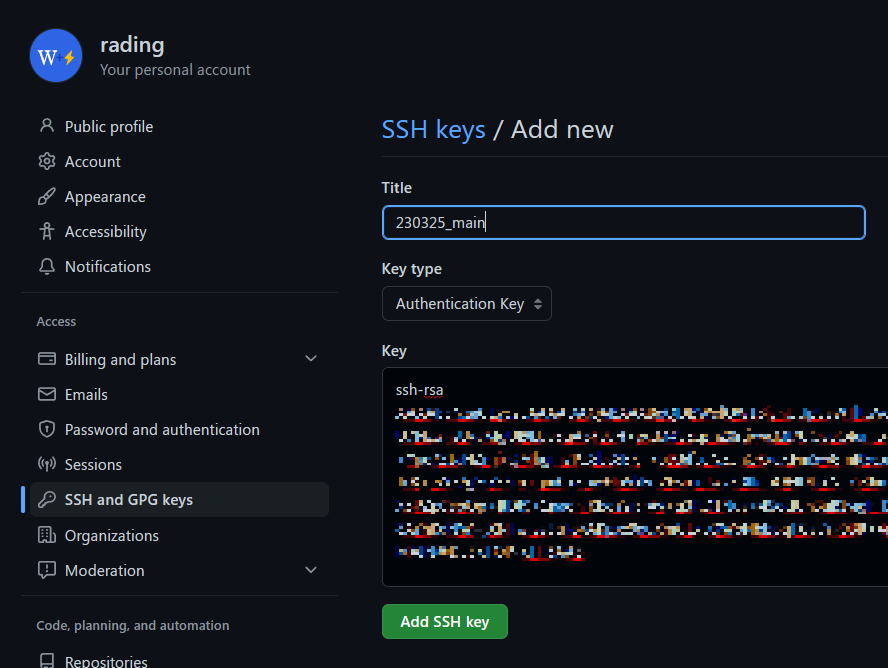
SSH and GPG keys 를 클릭 후 SSH 키를 등록합니다.
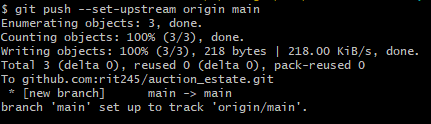
마지막으로 정상적으로 접근 되는지 테스트하면 끝이납니다.